
#
5.1. Creating Custom Tags
Step 1: Click Attributes in the Design Studio and scroll down to Custom Tags.
Step 2: Click Create Custom Tag, to create your own custom tag.

Step 3: Enter Tag name (Name it userfriendly as possible).
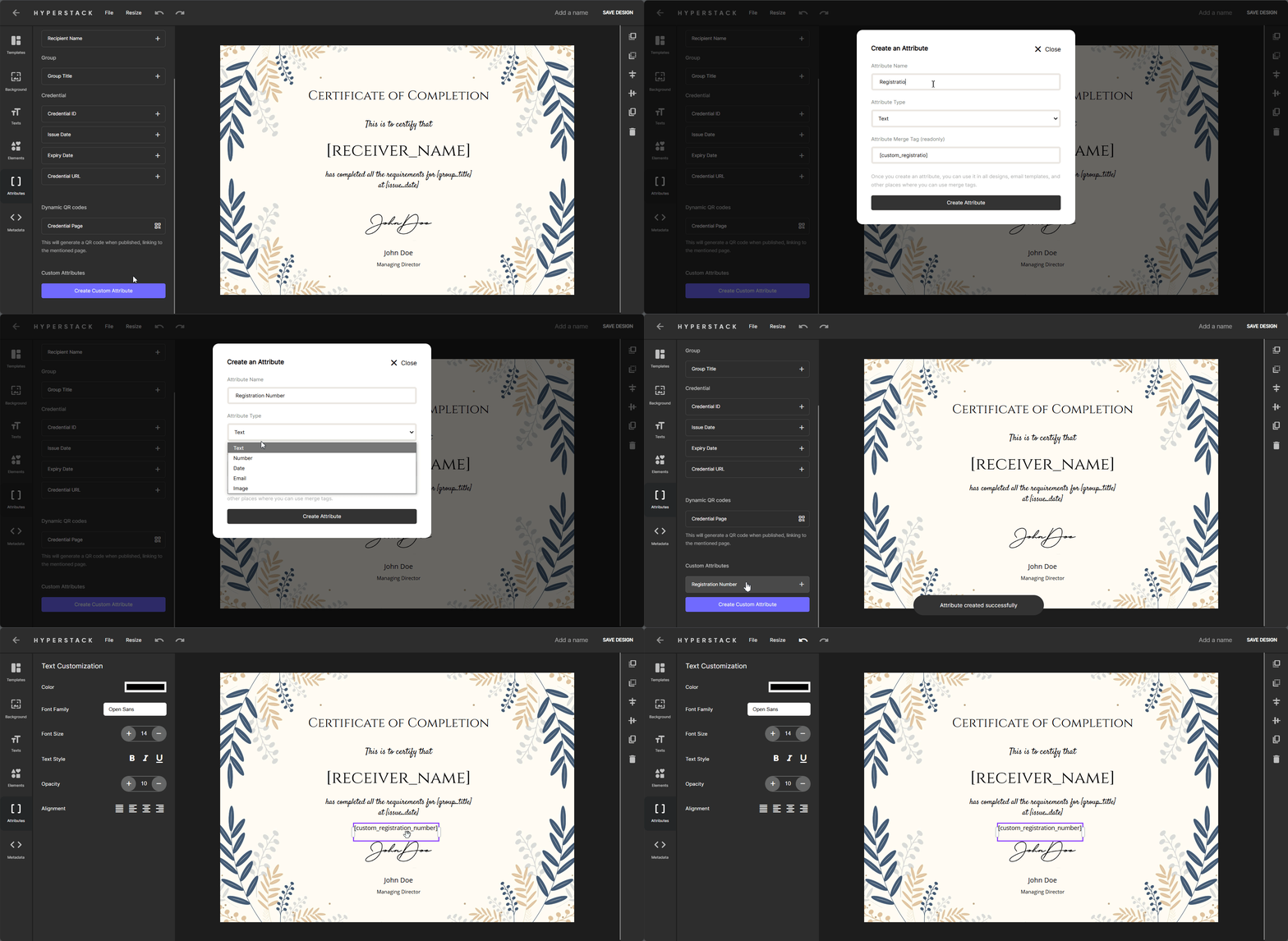
Once you have created the custom tag, you can use it in your certificate design.