
#
4.1 Credential Error Correction
The Hyperstack Documentation is still in beta, this documentation is a work in progress, feel free to send us your feedback at hello@thehyperstack.com.
If you have made a mistake while issuing or issued a credential, you can correct it by following the steps below:
#
Certificate Design Error Correction
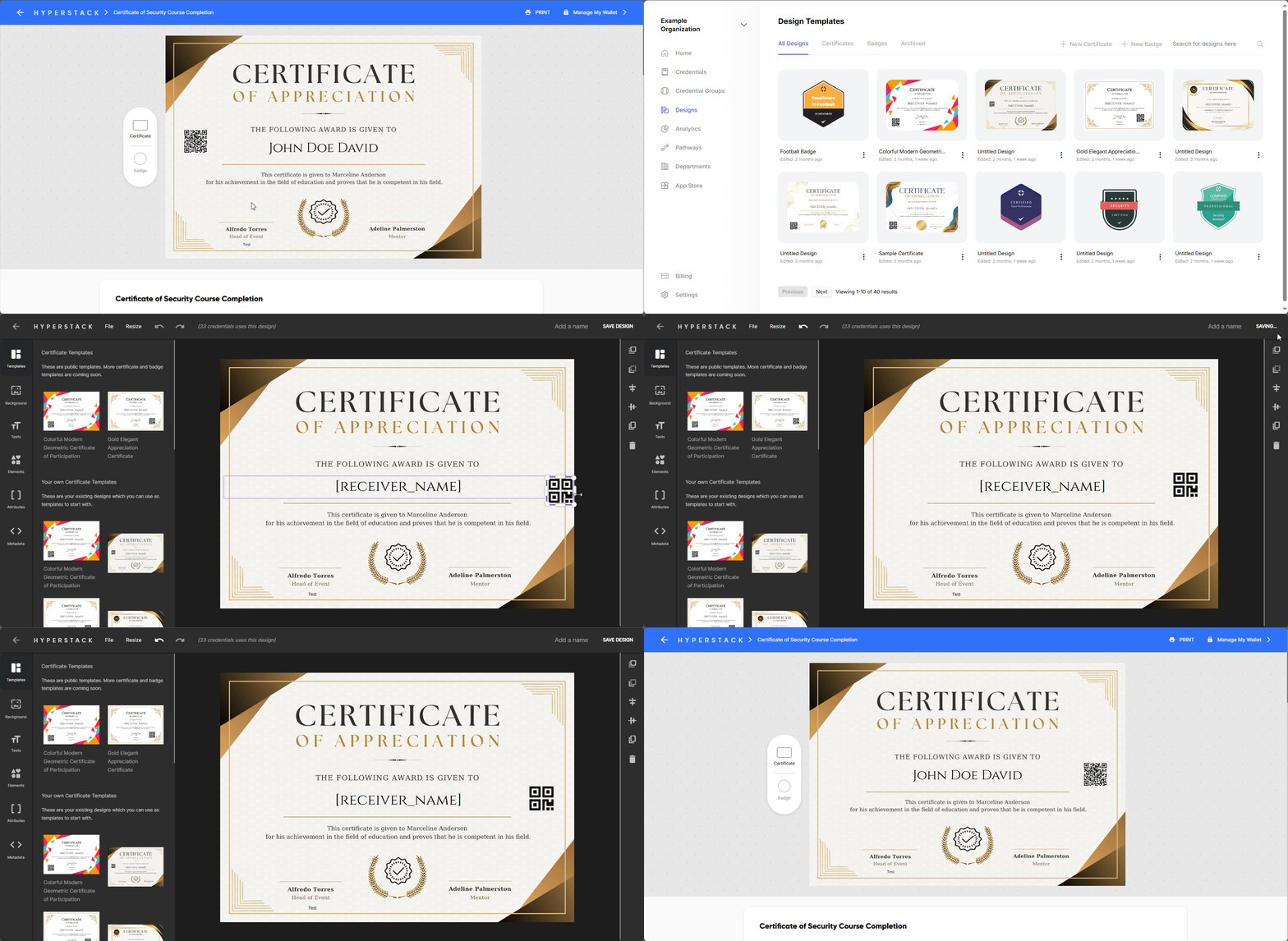
If you found any mistake in the design of the credential, you can correct it by following the steps below:
- Go to the Design file of the credential.
- Make the necessary changes.
- Click on the Save button to save the changes.
This will automatically update the design of the credential whether it is issued or under review.
#
If there is a mistake in the recipient details
#
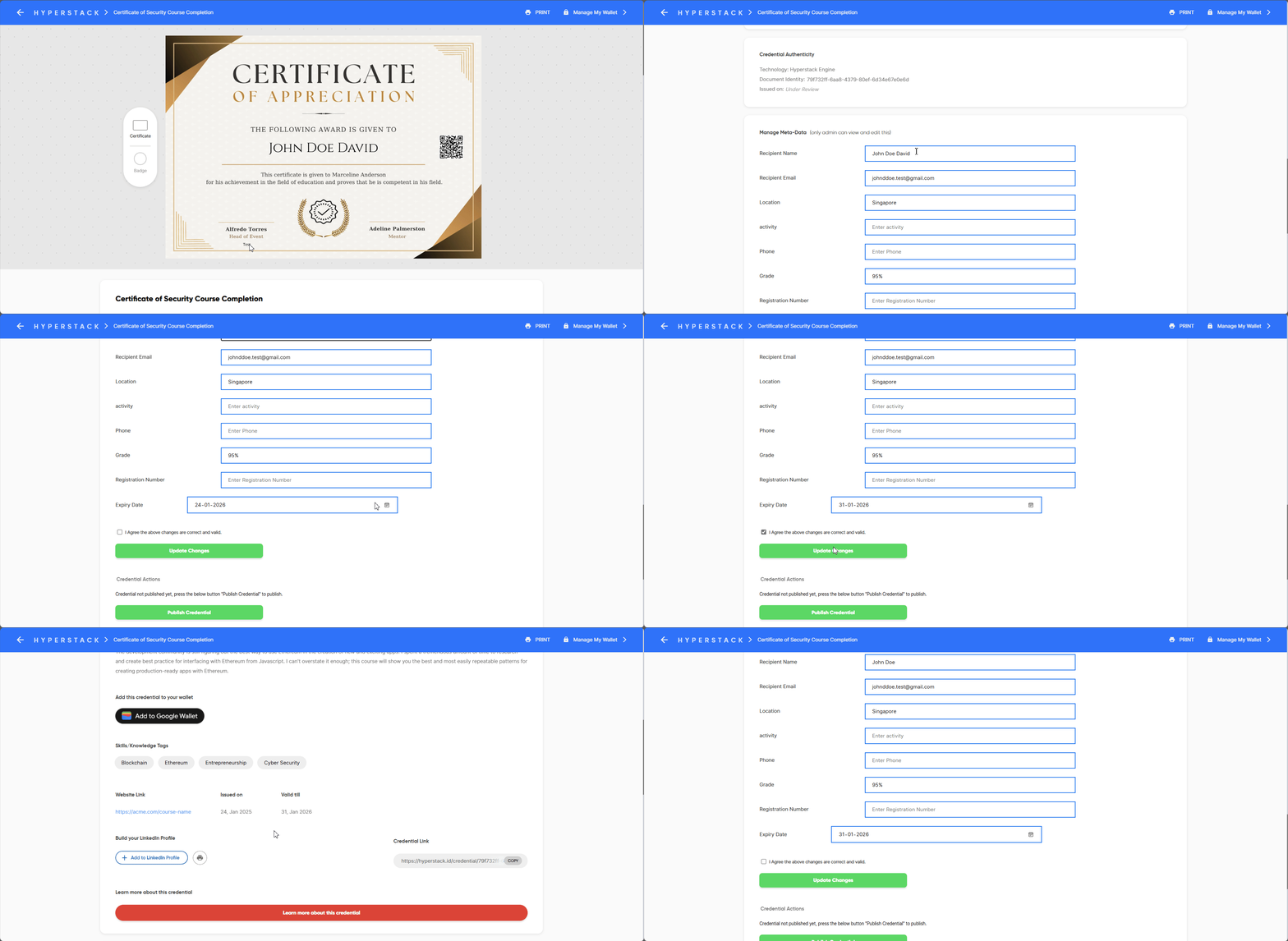
Method 1: Updating individual recipient details
Scroll down to Manage Meta-Data section in the credential page. This section is only visible to the issuer, update the recipient details, click agree and click on the Update Changes button.
#
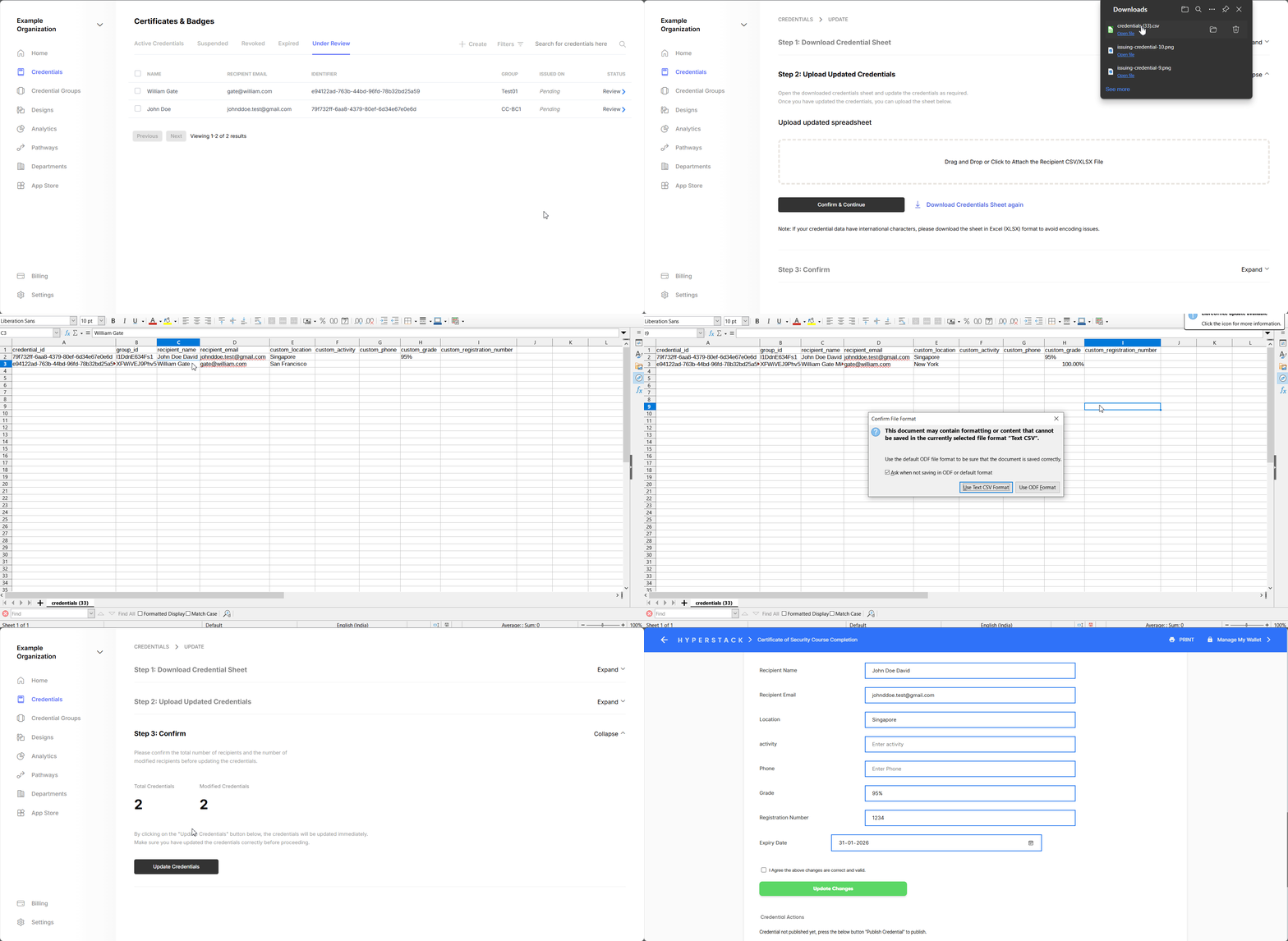
Method 2: Updating recipient details in bulk
Made a mistake in all credentials? No worries, you can update the recipient details in bulk by following the steps below:
- Go to the Credentials page from the home page. or If the credential is not published yet, go to the Under Review page from the home page.
- Select all the credentials for which you want to update the recipient details.
- Click on the Update button.
- Download the spreadsheet from (Step 1 in credential update page).
- Update the necessary changes.
- Upload the spreadsheet and click on the Update button.
#
If there is a mistake in the credential details
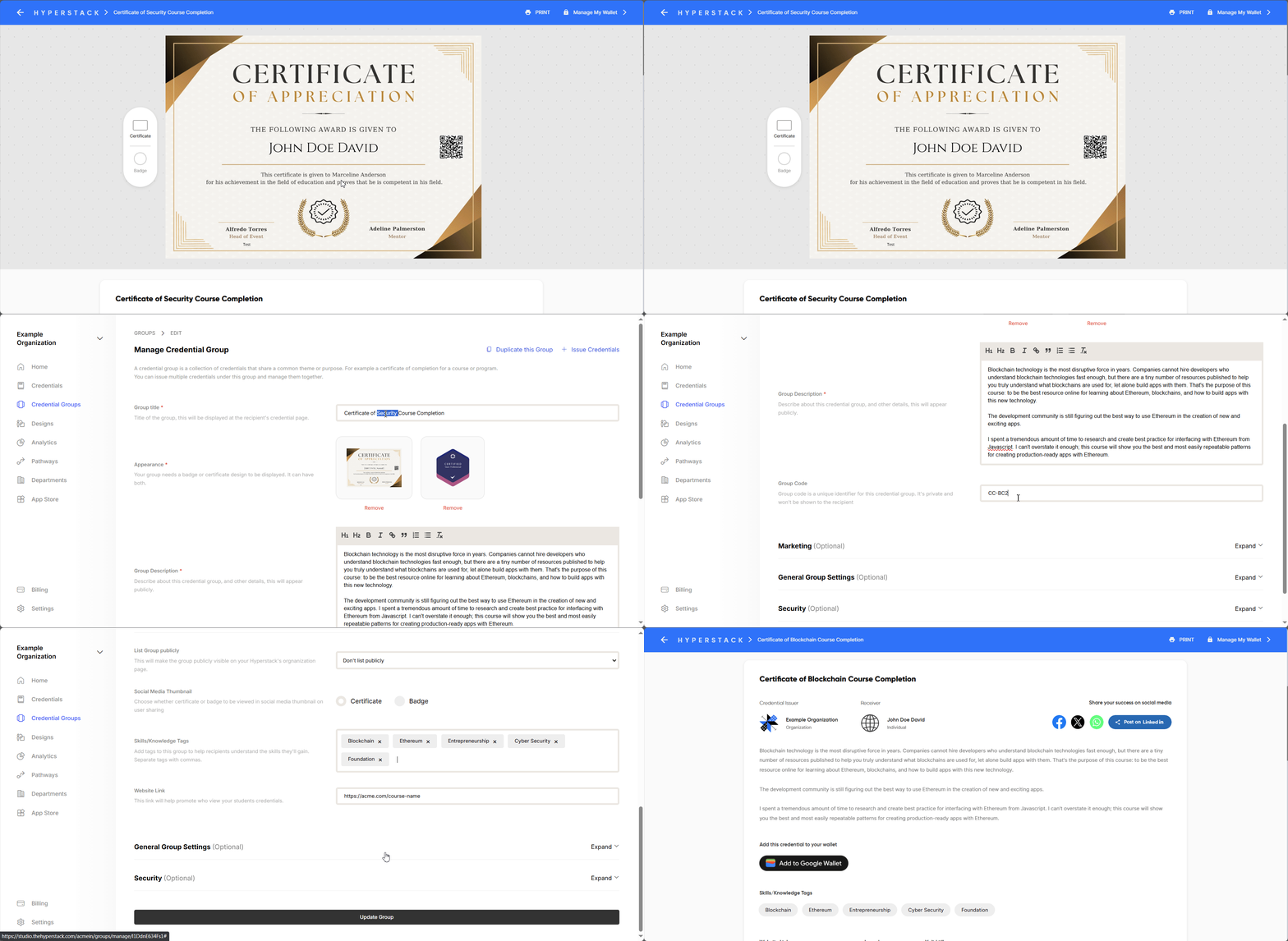
If you have made a mistake in the credential details like course title, description, skill tags, website CTA etc., you can correct it by following the steps below:
- Go to the Credential Group page and open the correct credential group.
- Make the necessary changes.
- Click on the Save Changes button to update the changes.
This will automatically update the credential details in all the credentials issued under that credential group.
Note: Email address cannot be updated once the credential is issued. If you need to update the email address, you need to revoke the credential and re-issue it with the correct email address.