
#
7. Email Customization
By default, the hyperstack platform offers a template that can be used for email notification, but you can also set up you own unique templates for different credential groups.
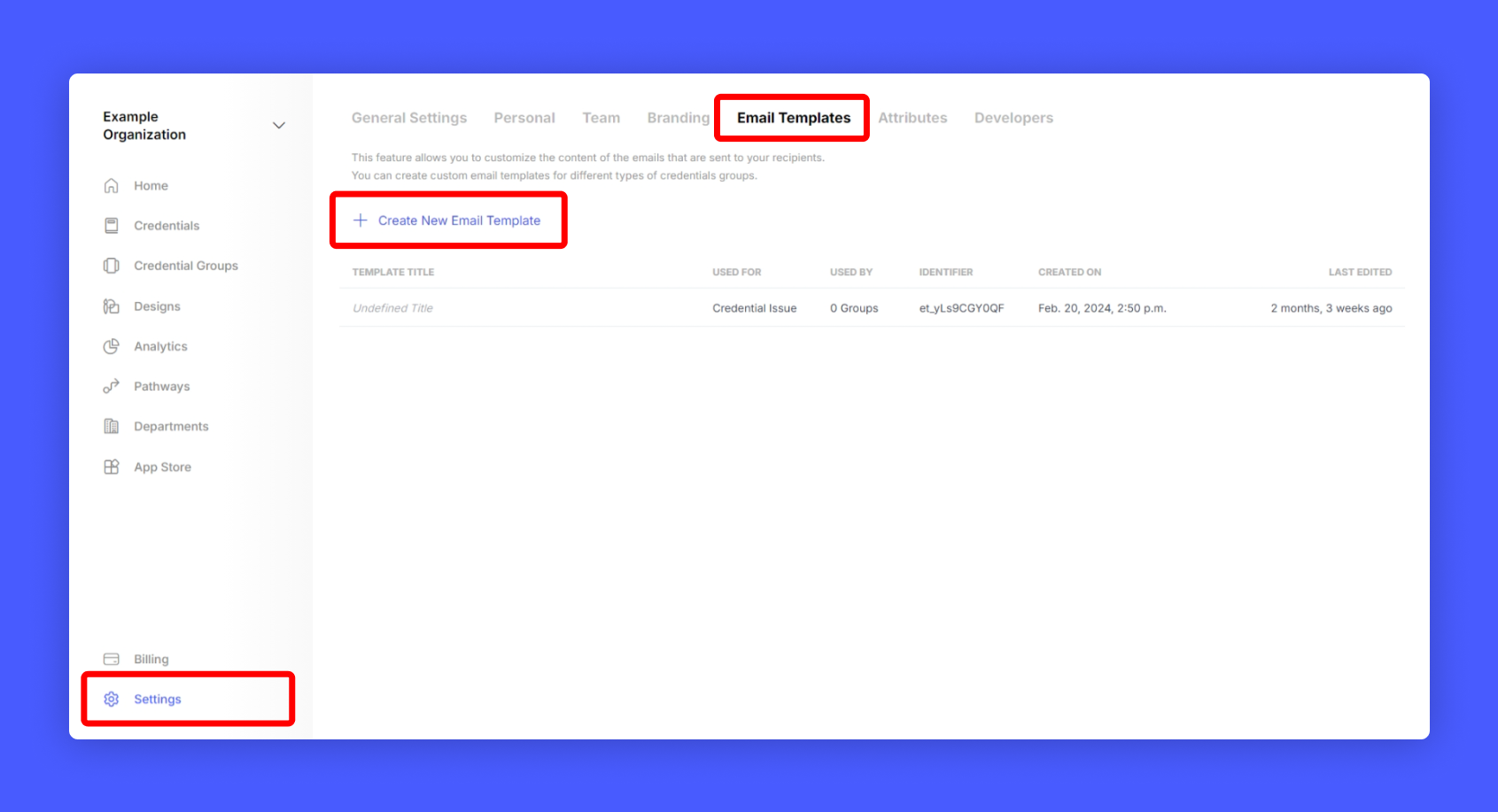
Step 1: Click Settings > Email Templates from your issuer home screen and select Create Email Template.
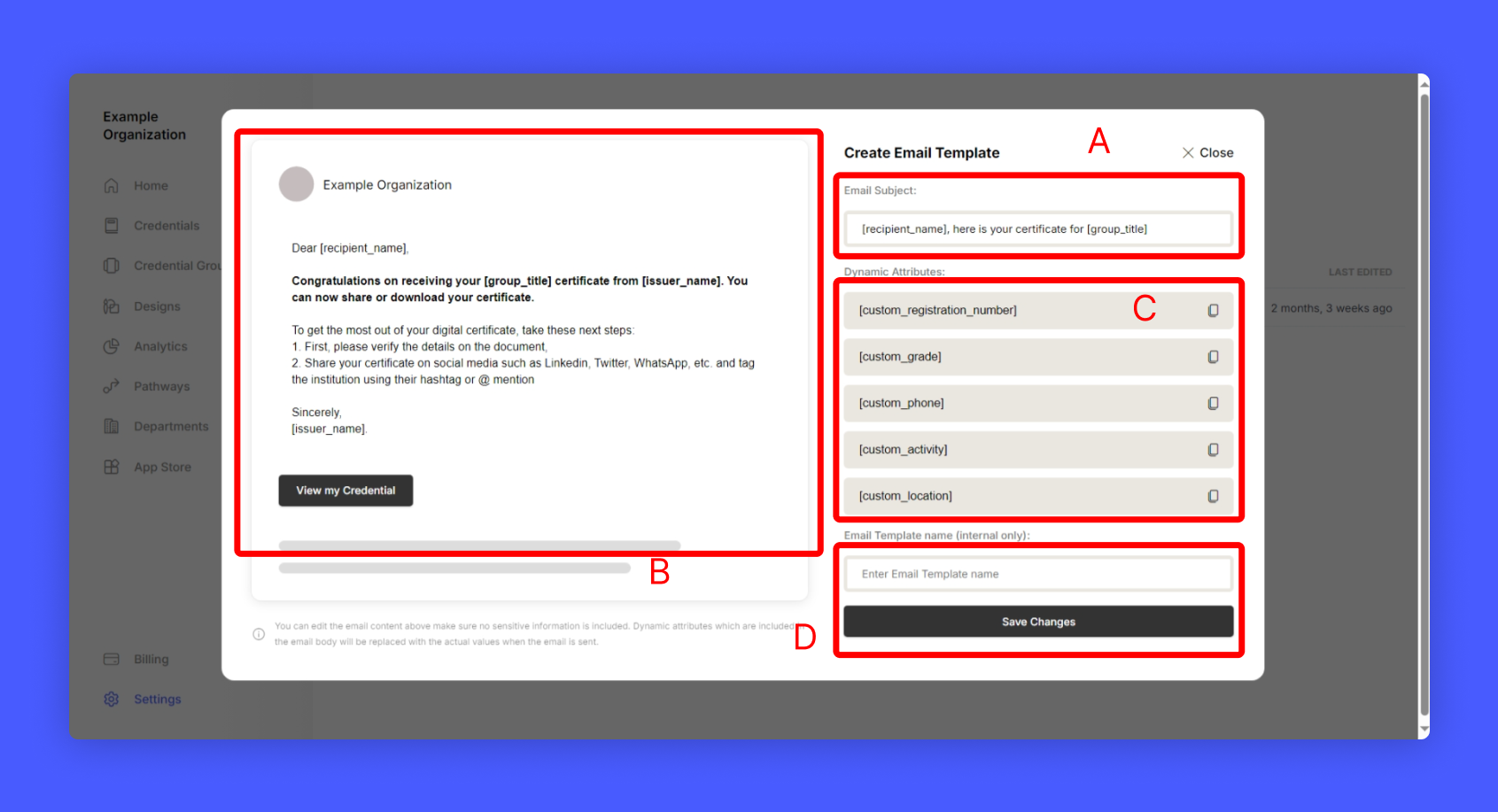
A popup will appear to customization your Email template
- Email Subject
- Email Body
- Dynamic Tags that can be used inside subject and body.
- A name for this template for identification.
Step 3: After Editing, save the template.
Step 4: Finally don't forget to assign the newly created email template to your credential group.
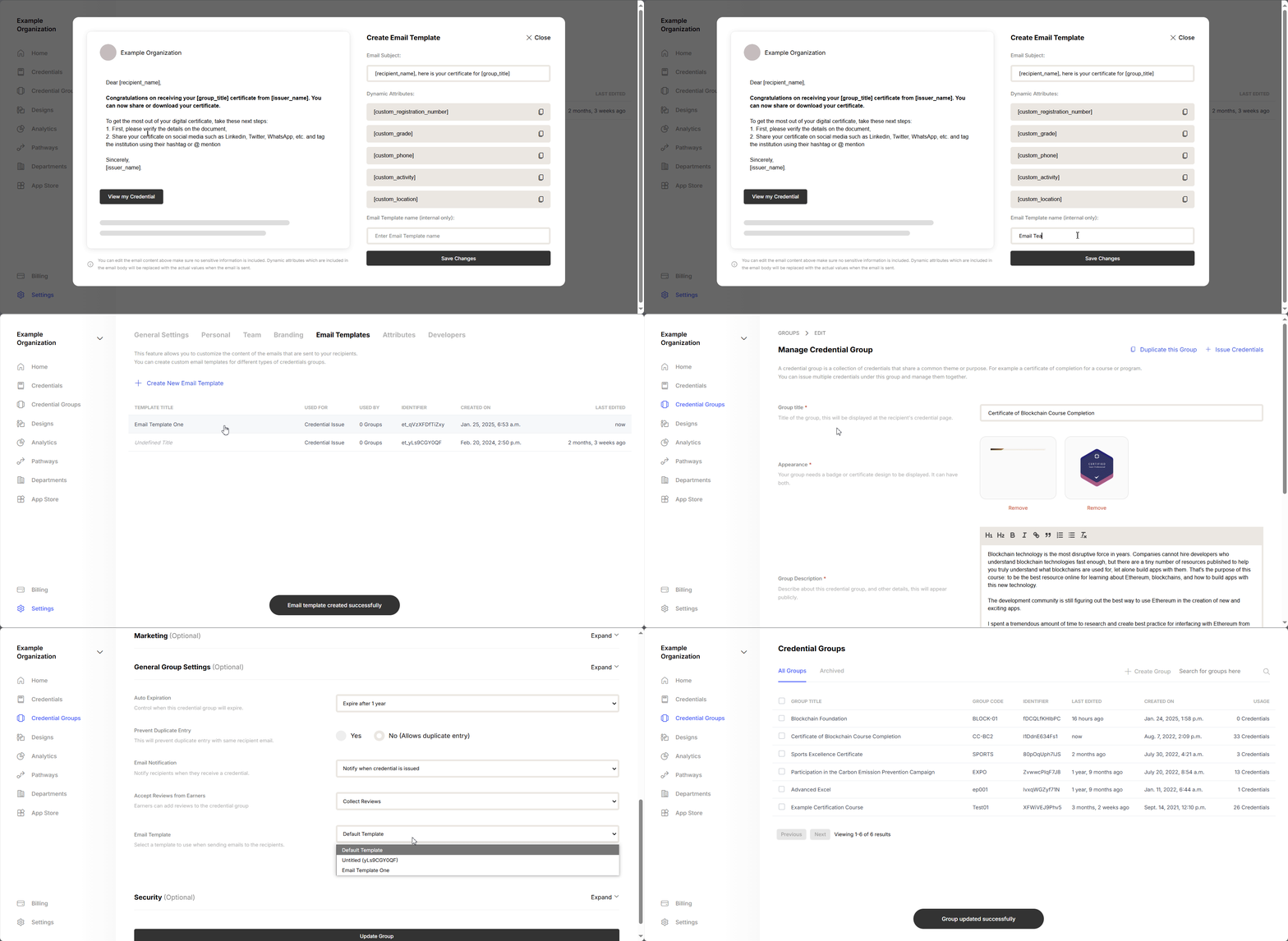
Hurray! you have customized your email for your credential group!